
The Photoroom alternative for on-model clothing photos
Bottom line: Photoroom is an excellent all-round product photo editor (background removal, templates, batch edits, mobile apps), and AI Fashion Models is one feature inside it, drawn from a shared AI credit pool. On its pricing page, model shots run at 1K on Pro, 2K starts on Max and 4K only on Ultra. TinTin does one job, clothing on models, starts at $0 with 10 credits and no card, and renders 4K on every paid plan from $10.
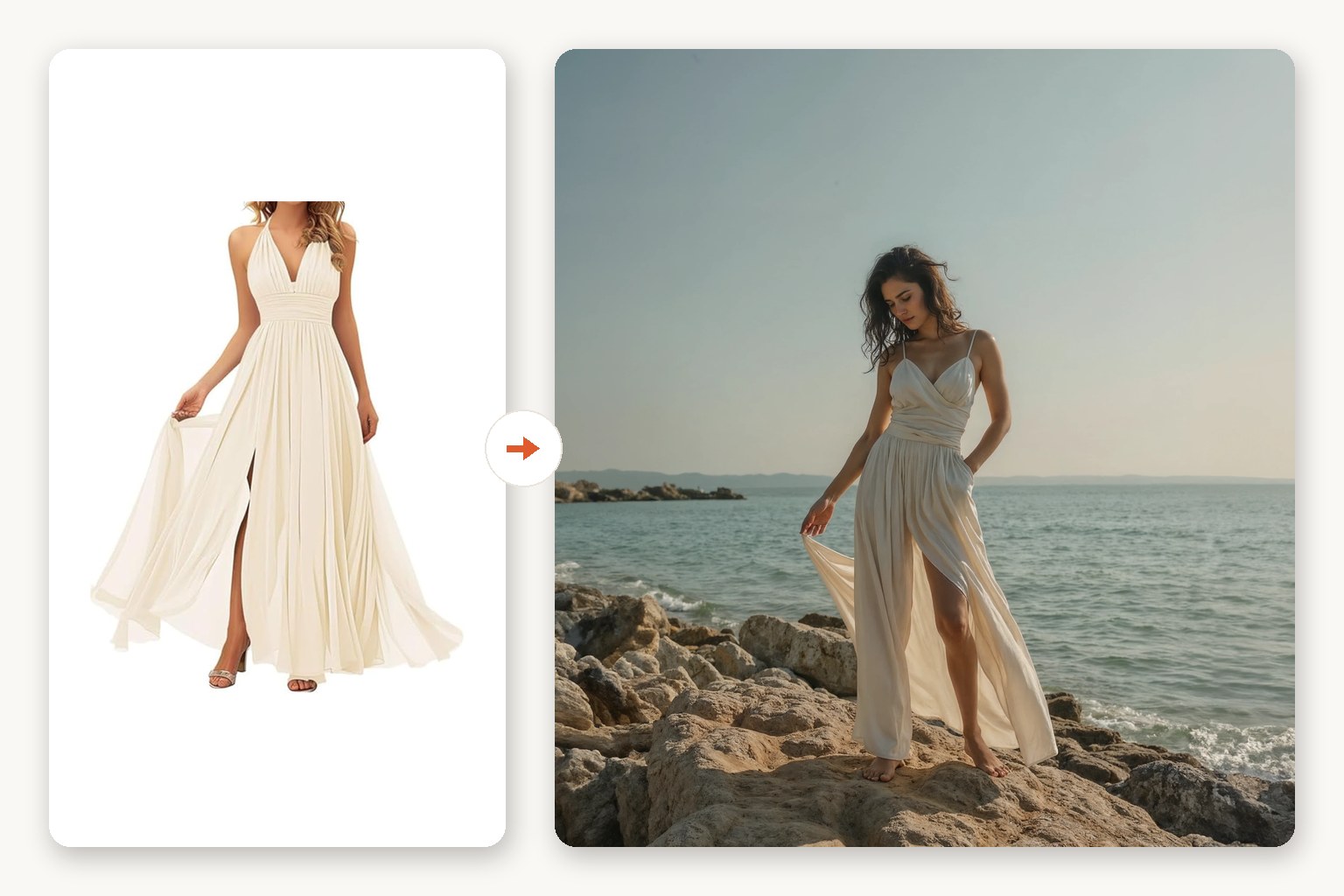
Upload one product photo (flat-lay, mannequin or ghost-mannequin) plus the model you want wearing it, and TinTin returns a studio-quality on-model image in minutes. The same credits cover bulk try-on and try-on video, and Shop Radar watches your live listing photos for free.
Photoroom details last checked November 2026.
The short answer
- Free to test, no card. TinTin gives 10 free credits with no card, and you can run a try-on on our use-case pages without an account. Photoroom's pricing page lists no free plan; Pro and Max start with a free trial.
- Resolution is not a tier gate here. Photoroom's plan table lists AI Fashion Models at 1K on Pro, 2K from Max and 4K only on Ultra. TinTin renders 4K on Starter, Studio and Pro alike, at 2 credits an image.
- A specialist, not an editor. If most of your catalog is hard goods that need cut-outs and templates, Photoroom is the broader tool. If the job is putting clothes on people, TinTin is built around that: fit, product type, one model identity across a season.
- Free monitoring on top. Shop Radar checks your live listing photos daily across eight platforms at no cost, whether or not you ever buy credits.
TinTin vs. Photoroom, side by side
| Dimension | TinTin | Photoroom |
|---|---|---|
| What it is | An on-model studio for apparel and nail sellers: try-on, bulk, video, listing monitoring | A general product photo editor: background removal, templates, batch editing, plus AI Fashion Models as one AI feature |
| Pricing shape | $10 / month (Starter, 20 credits) · $39 (Studio, 90) · $129 (Pro, 320), or annual billing at $90 / $360 / $1,200; one-time packs of 10 credits for $4.99 that never expire | Pro, Max and Ultra subscriptions sharing one AI credit pool (8,000 / 25,000 / 75,000 AI credits), Enterprise custom; prices vary by region |
| Free start | 10 credits with no card, plus a no-account try-on on use-case pages | No free plan listed; free trial on Pro and Max |
| On-model resolution | 4K on every paid plan (2 credits per image) | 1K on Pro; 2K from Max; 4K on Ultra only, per its plan table |
| Your own model | Upload a model reference once and the same face and body carry across every render, on any plan | Custom model upload supported, and models can be saved in Brand Kit |
| Bulk generation | Bulk try-on queue: push a season through at once, one model identity across it | Batch editing across web and mobile, with AI Fashion Models available inside Batch |
| Video | Try-on video = 4 credits, on any paid plan | Not documented for AI Fashion Models |
| Shopify | Shop Radar is on the Shopify App Store (free listing-photo checks); try-on generation runs in the web app or via MCP | Photoroom for Shopify, with AI Fashion Models inside it, on Max and Ultra (Photoroom wins this row) |
| Background removal and templates | Background changes are available, but this is not the core product (background changer) | Core strength: cut-outs, templates and brand kits at scale (Photoroom wins this row) |
| Watching your live listings | Shop Radar: free forever. Daily photo checks on Shopify, Etsy, Amazon, WooCommerce, Wix, Squarespace, BigCommerce and eBay, with one-click reshoots | Not offered |
| AI-agent access | Public MCP server: shop audits and try-on generation from Claude, ChatGPT or any MCP client | Image Editing API on separate API plans (not included in Pro, Max or Ultra) |
What the $10 tier actually produces
The table above says the wallet covers a whole on-model studio. These renders are the evidence, each one our own output, shown full-size on the page it links to.
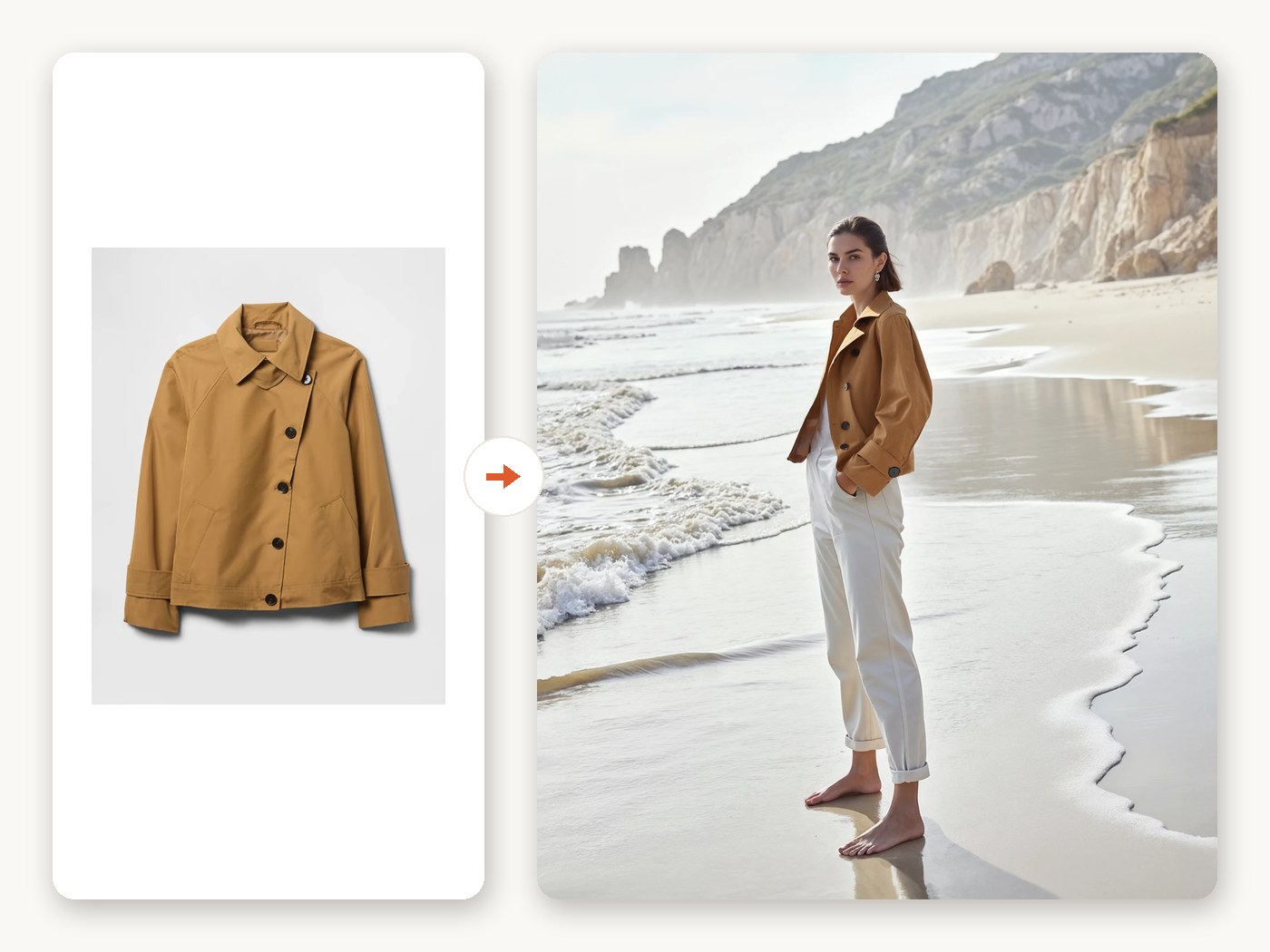 One product photo → on-model shotFlat-lay in, styled on-model image out. 1 credit, or 2 at 4K, on any paid plan.
 A season → one queueThe same identity carried across the catalog instead of re-uploading model references per SKU.
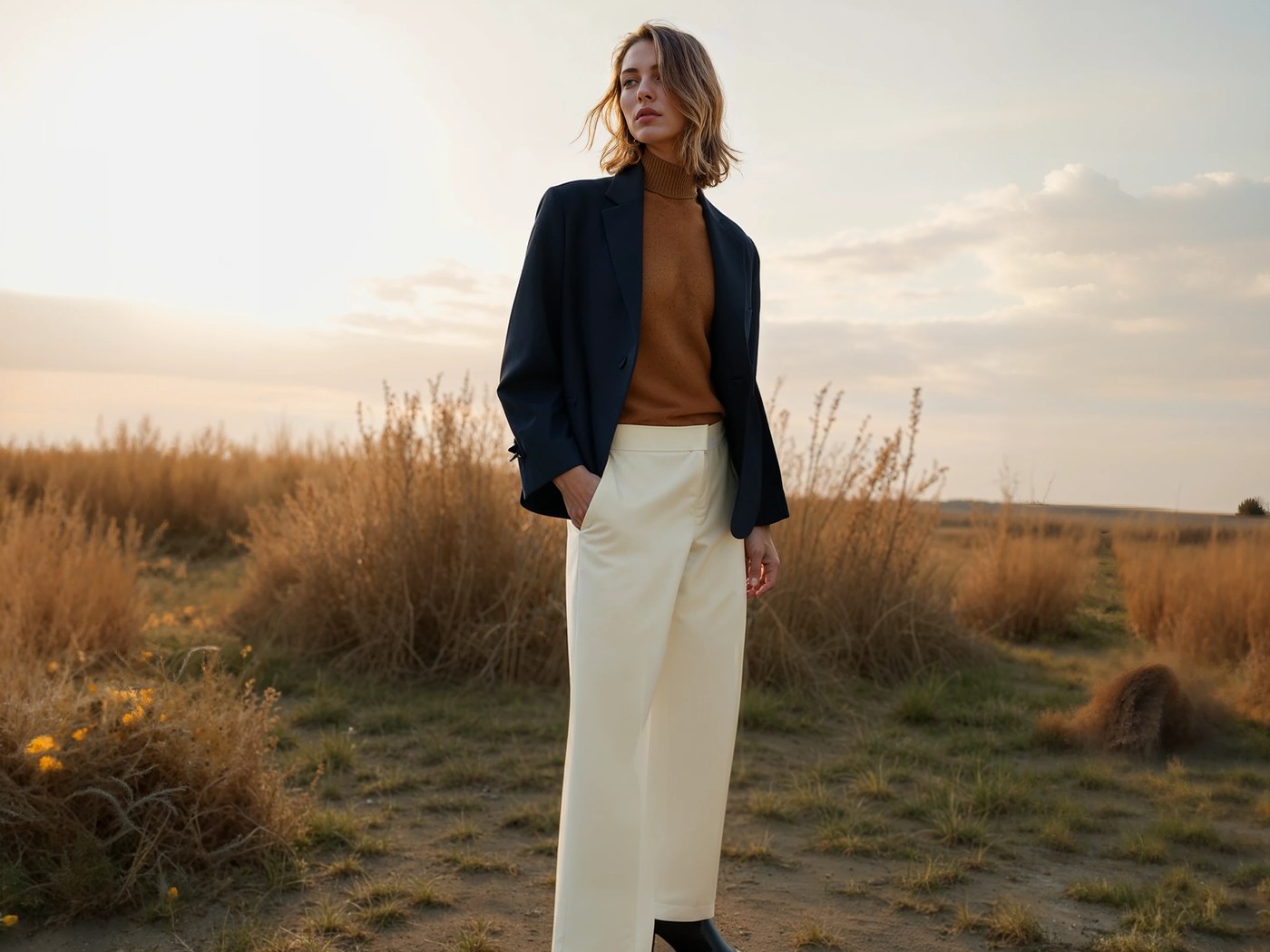 Styled looks, not just packshotsLayered outfits and lifestyle settings from the same product photos.
 Live listings → a reshoot listShop Radar checks your published photos daily across eight platforms. Free, no plan needed.
Why clothing sellers look for a Photoroom alternative
Photoroom is the default editor for a lot of sellers, and for cut-outs and templates it earns that. The friction appears when on-model shots become the main job.
- Full resolution sits on the top tier. Per its plan table, AI Fashion Models renders 1K on Pro and 2K on Max; 4K model shots need Ultra.
- Model shots share a pool with everything else. Background removals, edits and fashion models all draw on the same AI credits, so a heavy model-shot month competes with the rest of your editing.
- Evaluating starts with a trial signup. There is no free plan listed, so testing your own SKUs starts with a subscription trial.
- Video and nails need another tool. Try-on video and press-on nail try-on are outside AI Fashion Models as documented.
What you get for the same budget in TinTin
One wallet aimed at one job, and a free monitor sitting on top of your live storefront:
- 4K on any paid plan. 2 credits per 4K on-model image, from the $10 Starter plan up.
- Bulk try-on with one identity. Push a whole season through with the same model face and body (Bulk AI Try-on).
- Video on any paid plan. 4 credits for a try-on clip.
- Shop Radar, free forever. Daily listing-photo checks across eight platforms, with a one-click AI reshoot on anything it flags (how the audit works).
- Agent access via MCP. Audit a shop for free with no account, or generate try-ons with an API key, from any MCP client (connect an agent).
Where Photoroom may still be the better fit
We would rather you pick the right tool than churn in a month. Photoroom is the stronger choice if:
- Most of your catalog is hard goods. Cut-outs, white backgrounds and templates for shoes, bags, cosmetics and homeware are its core, and it does them at scale.
- You edit on your phone. Its iOS and Android apps are mature; TinTin runs in the browser.
- You want a native Shopify app. Photoroom for Shopify is included on Max and Ultra.
- You need one tool for every image task. If on-model shots are an occasional extra rather than the main job, a single editor with a fashion feature may be simpler than two tools.
Trying it takes about ten minutes
1. Reuse the photos you already have
Flat-lay, mannequin, ghost-mannequin or a clean phone shot: the same product photos you cut out in Photoroom work here unchanged.
2. Pick or upload your model
Upload a model photo to keep one look across the catalog, or choose from ours, then set fit, product type and aspect ratio.
3. Judge it on your own SKUs, for $0
Ten free credits, no card. Run the three products whose photos matter most and compare the outputs before spending anything anywhere.
Photoroom alternative: FAQ
What is the best Photoroom alternative for clothing on models?
For apparel sellers whose main need is on-model shots, TinTin is built for exactly that: one product photo in, a studio on-model image out, 4K on every paid plan and one model identity across a whole catalog. You can test it with 10 free credits and no card, or try one free on our use-case pages without an account.
Is TinTin cheaper than Photoroom?
It depends on what you use. If on-model shots are the main job, TinTin's $10 Starter plan includes 4K renders that Photoroom reserves for Ultra. If you need background removal, templates and mobile editing across a large catalog, Photoroom covers more ground per subscription. Photoroom's prices vary by region; check its pricing page and our pricing for today's rates.
Can I try TinTin without paying?
Yes. Signing up grants 10 credits with no card, and our use-case pages let you run one try-on with no account at all.
Can I use my own model, like Photoroom's custom models?
Yes. Upload a model reference once and the same face and body carry across every render, on any plan, free included. That is what makes a category page read as a single shoot.
Does TinTin remove backgrounds like Photoroom?
It can change backgrounds (see the background changer), but background removal at scale is Photoroom's core strength and we say so above. Many sellers keep Photoroom for cut-outs and use TinTin for the on-model shots.
How we compare these tools
Both columns are sourced, and we date them so you can tell when they went stale:
- TinTin's numbers come from our own pricing page: Free (10 one-time credits), Starter $10/mo for 20 credits, Studio $39/mo for 90, Pro $129/mo for 320; annual billing grants the year upfront at a lower per-credit rate. One credit renders one on-model image; 4K costs 2, a try-on video 4.
- Photoroom's rows were read off photoroom.com/pricing, its AI Fashion Models tool page and its help center on the date above: Pro, Max and Ultra plans with 8,000 / 25,000 / 75,000 AI credits; AI Fashion Models at 1K on Pro, up to 2K on Max and up to 4K on Ultra; Shopify integration on Max and Ultra; API on separate plans; custom model upload supported. Its dollar prices vary by region and were not shown on the page we read, so we do not quote them.
- Feature rows reflect each product's publicly documented capabilities. Where something isn't described on a rival's site we say “not offered” or “not documented” rather than asserting it doesn't exist.
Photoroom is a trademark of its owner; TinTin is not affiliated with, endorsed by, or partnered with it. Everything above reflects publicly available information as of November 2026 and may have changed since. Check their site for current pricing and features. Spot something out of date? Tell us and we'll correct it.
Keep comparing
Test it on the SKUs you care about, for $0
Ten free credits, no card, every feature unlocked. Compare the output against your current tool before you spend anywhere.