
AI Kids Modeling for Childrenswear
Childrenswear on AI kid models. No shoot, no release forms.
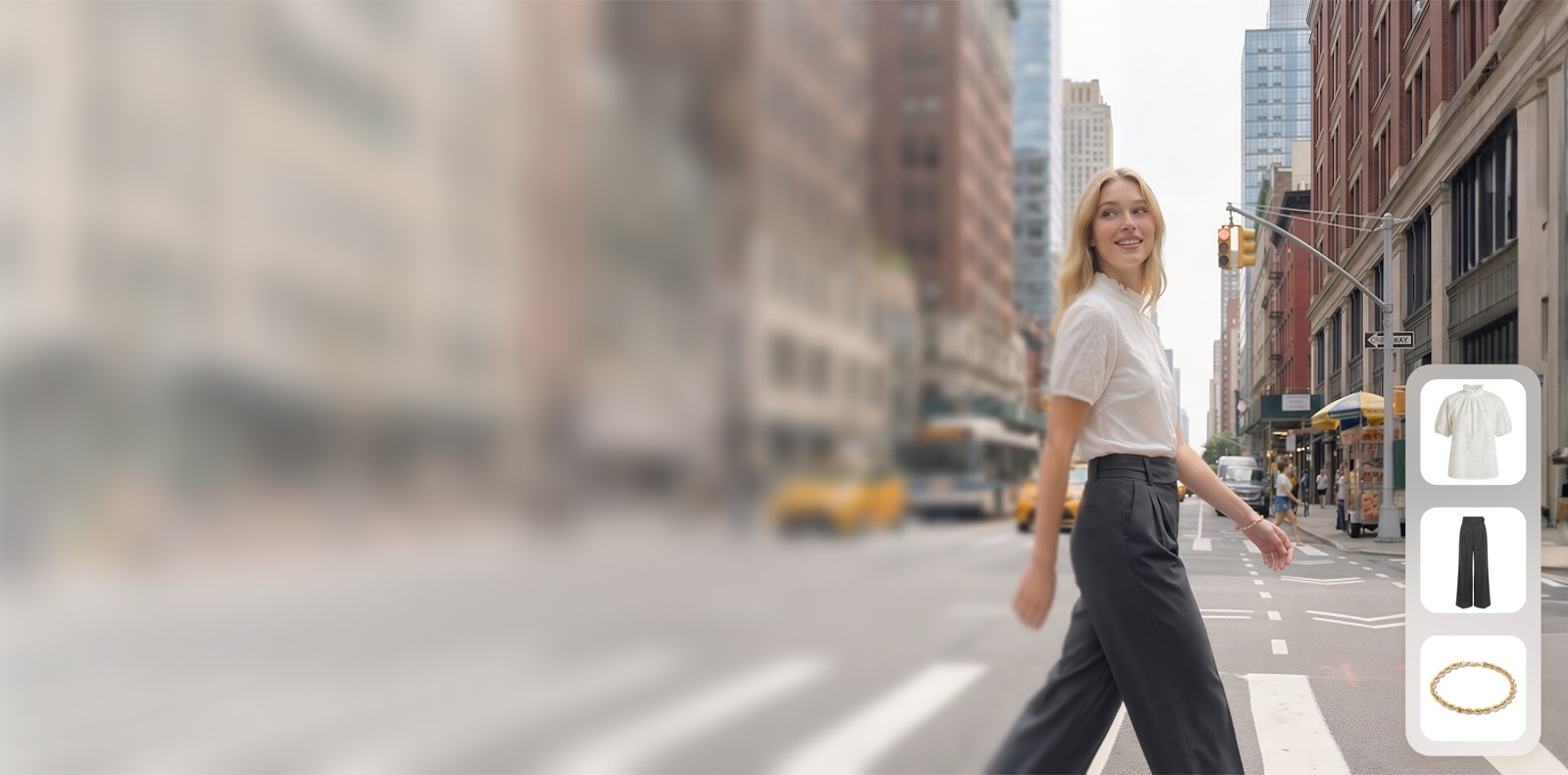
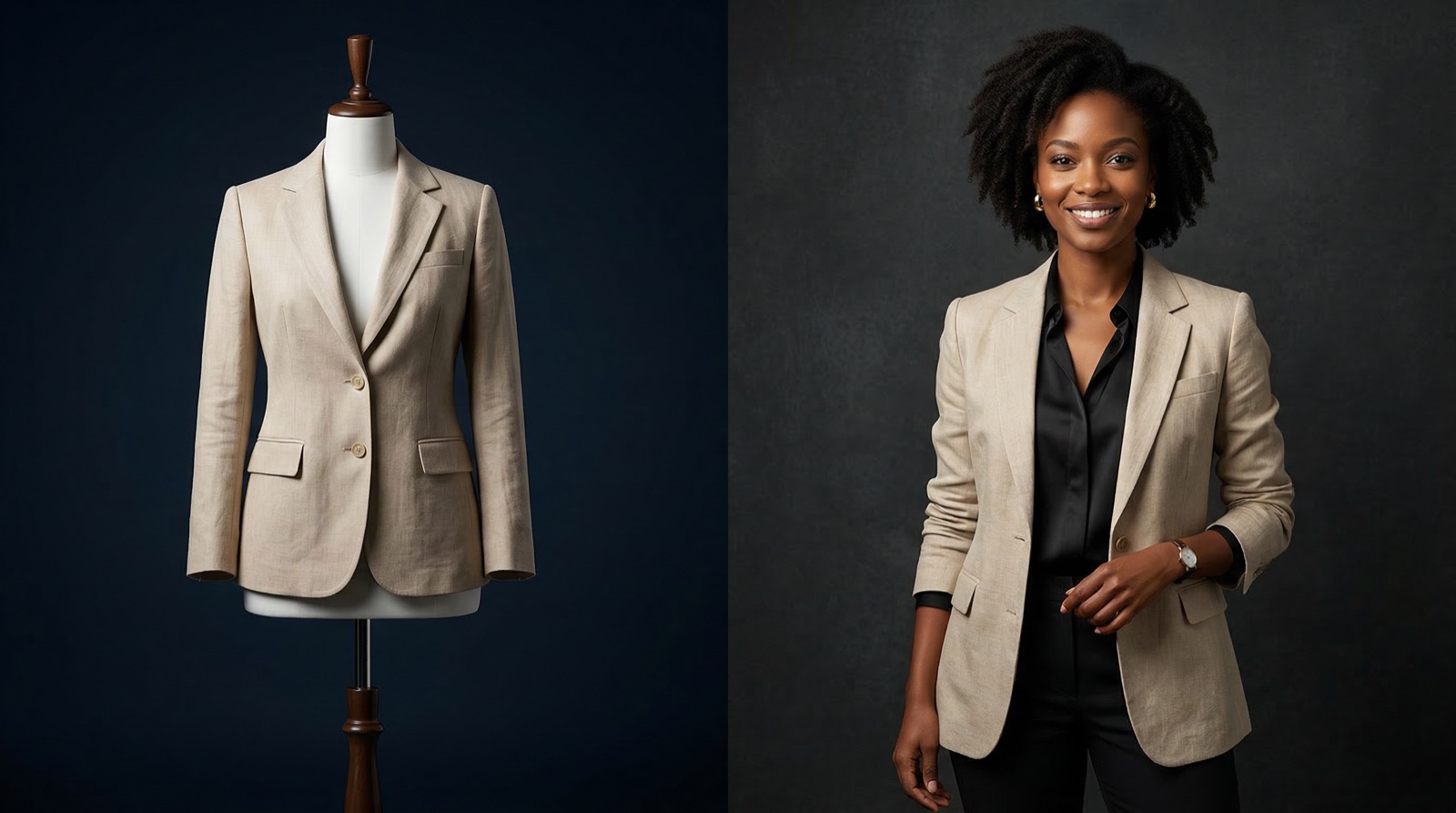
Upload a flat-lay, hanger or mannequin photo of your kids' clothing and get it back on a photoreal AI child model: a baby, a toddler or a young boy or girl. Built for childrenswear and baby brands that need on-model listing photos without casting, chaperones or reshoots.
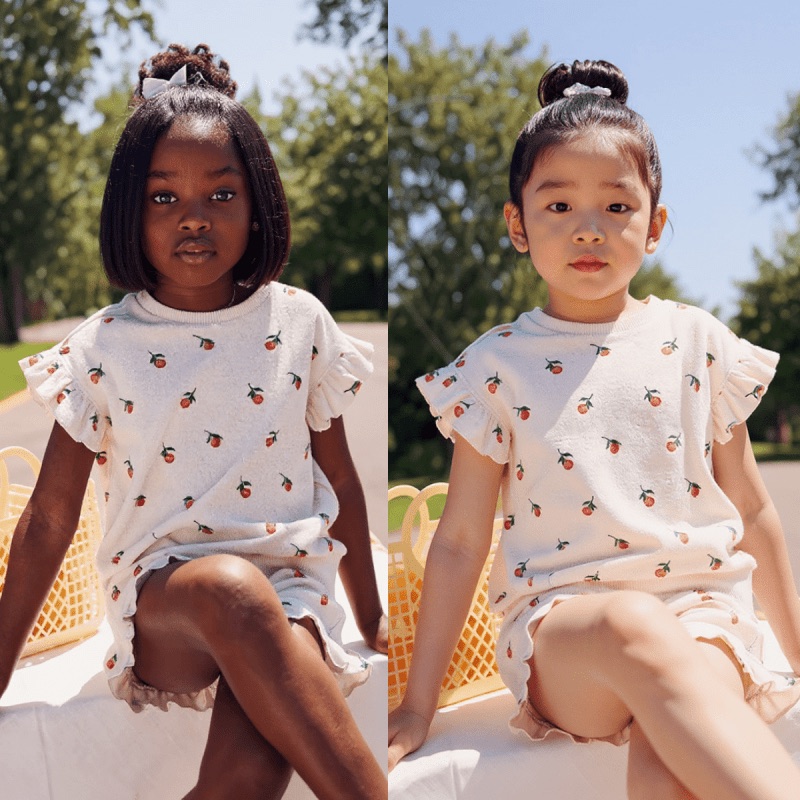
See it on a model, right now
Free · no signup, no card150+ more models after you sign up.
What is AI Kids Modeling?
AI kids modelling, also called AI child models or virtual childrenswear photography, is the practice of generating photoreal images of children's clothing worn by AI-generated child models, with no shoot to schedule, no chaperones and no model-release forms for a real child.
Upload your children's clothing or products and generate diverse, natural-looking kid models in minutes. Because the models are AI-generated, there are no minors to cast, schedule, or collect releases for. It is built for childrenswear and baby-product brands that need inclusive on-model imagery for listings and ads.
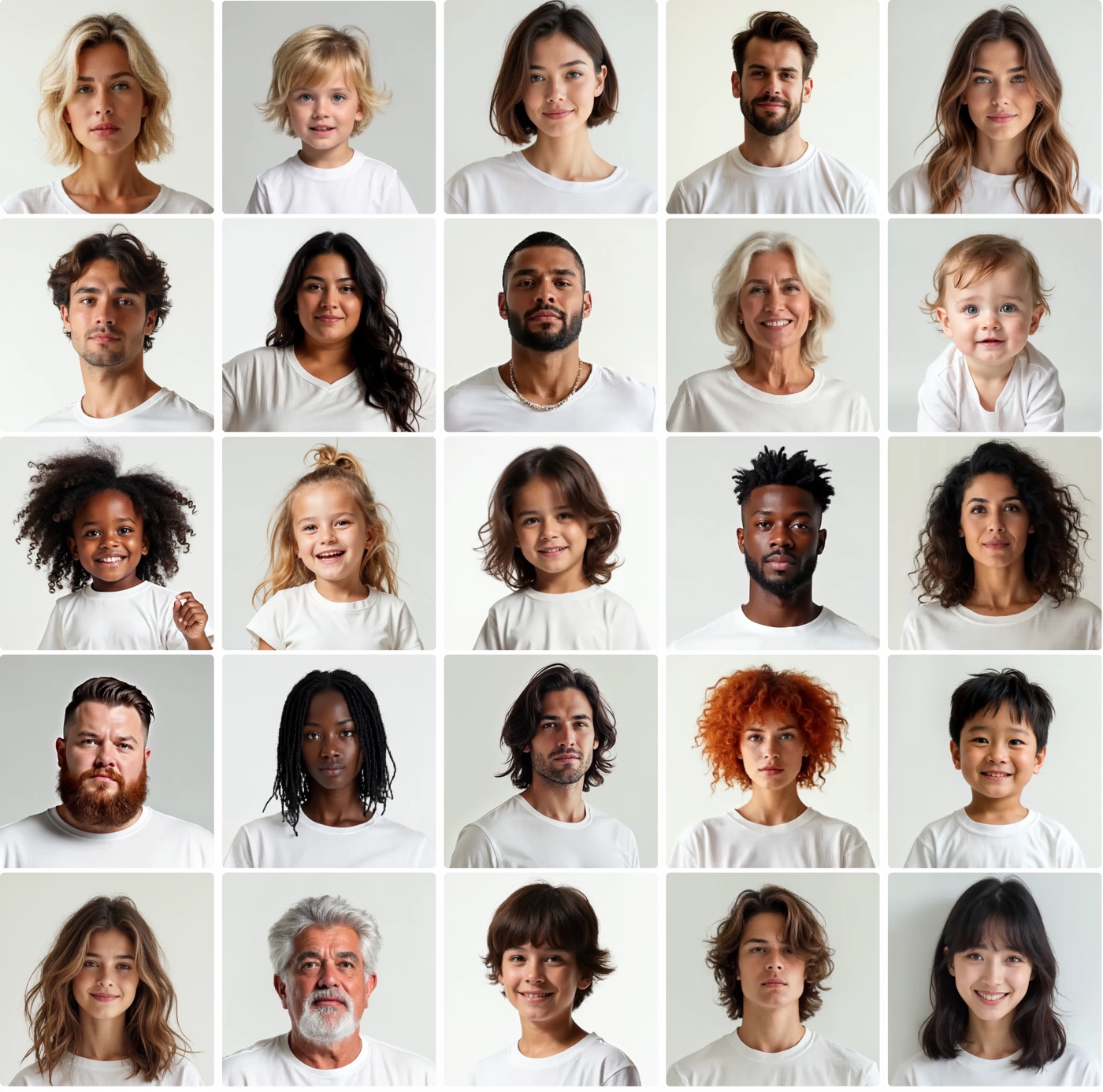
What the kids model library covers today: 52 child models in three groups. Babies (5 models, seated and standing, for onesies, rompers and sleepsuits), boys (23) and girls (24), in the toddler to early school-age range, roughly 1 to 8 years old. The library spans a wide range of skin tones and hair types, and poses run from calm catalog stances to running and jumping shots for playwear. Tween and teen models are not in the library yet, so if your range is sized 9 to 14, test a piece before committing a catalog.
What you upload: one garment per photo, on a light, plain background. A flat-lay, a hanger shot, a mannequin shot or a clean supplier photo all work; the clearer the edges, prints and trims, the more faithfully they carry over. Output comes back at 2K for 1 credit or 4K for 2 credits. For a whole season, the bulk workflow takes a CSV or a folder of product photos and renders every SKU on the same models in one run.
AI Kids Modeling for modern ecommerce teams.
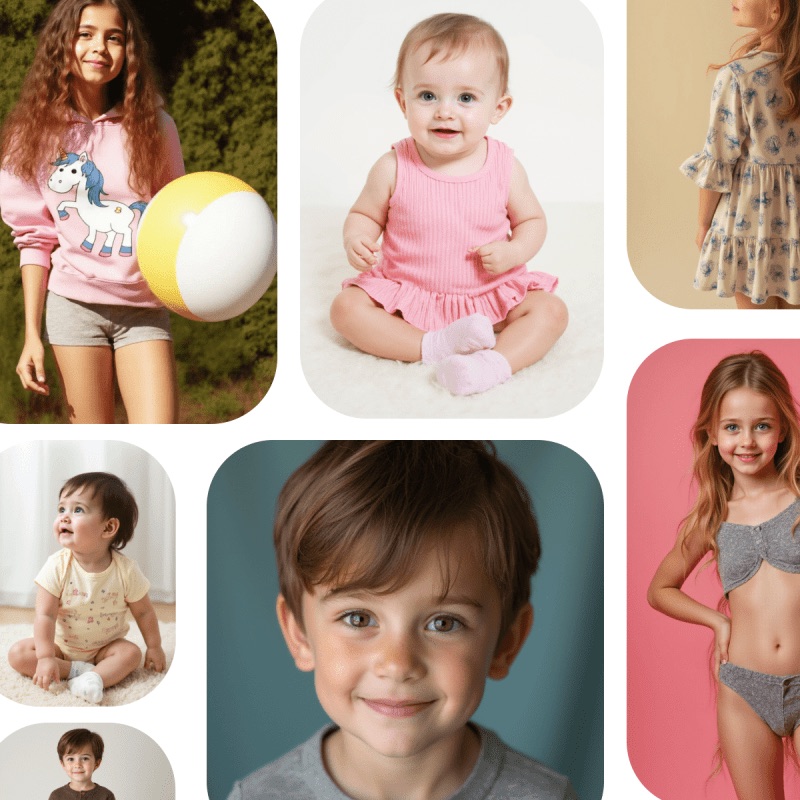
Child Models by Age Group
Pick a model that matches the size range you sell. Baby, boy and girl groups keep proportions right for the garment: a romper sits on a baby's body, a school polo on a six-year-old's. Every model is generated, so no real child's likeness is ever used.
- Babies, toddlers and young kids, roughly 1 to 8 years
- Separate boy and girl groups, 47 models between them
- Wide range of skin tones and hair types
- Calm catalog poses plus running and jumping playwear shots
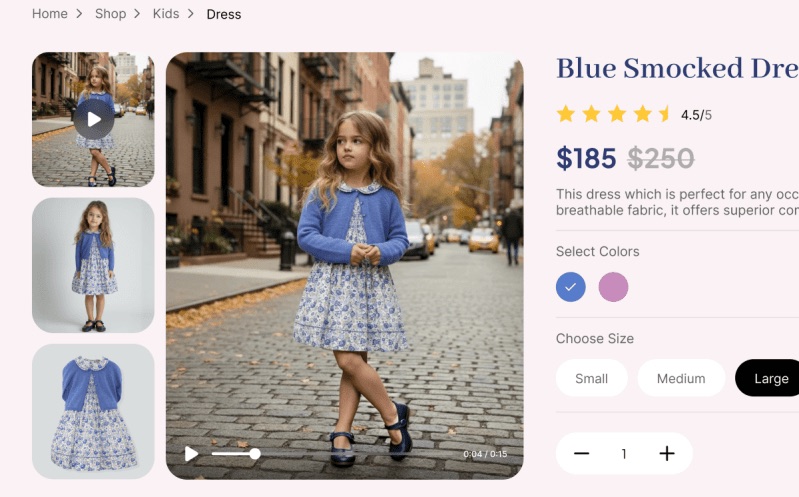
From Flat-Lay to On-Model, Prints Intact
Kidswear lives on its details: a dinosaur print, a Peter Pan collar, snap buttons on a onesie. TinTin carries prints, colors and trims over from your own product photo instead of inventing a similar garment, so the listing shows what the customer will receive.
- Flat-lay, hanger, mannequin or supplier photos as input
- Onesies, rompers, dresses, school uniforms and playwear
- Prints, embroidery, appliqués and buttons kept from the source
- 2K or 4K output for zoom-in product pages
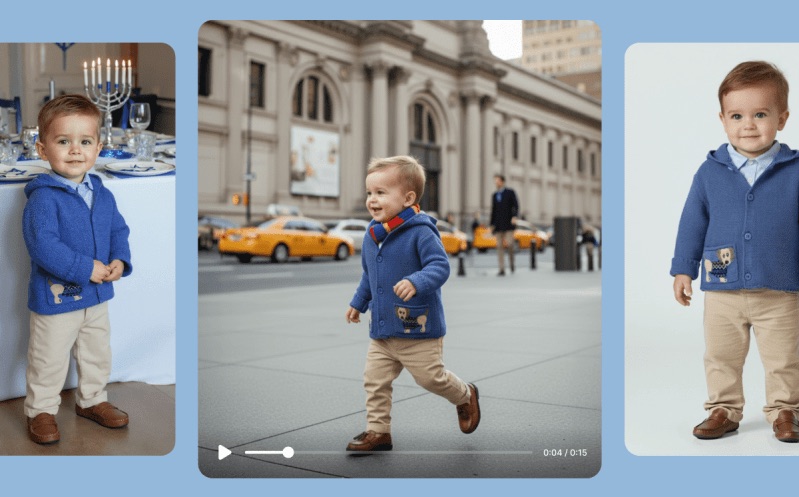
One Model Across the Whole Collection
Choose a model once and reuse it for every piece in the drop, so a collection page reads as one shoot rather than a set of unrelated images. When the season is large, the bulk workflow renders the full catalog on your chosen models in one run.
- Keep the same child model across a full collection
- Bulk runs from a CSV or a folder of product photos
- On-model shots for PDPs, marketplace listings and social ads
- Try a single piece first, then scale to the catalog
Questions teams ask before they start.
What is AI kids modelling?
It is generating on-model photos of childrenswear using AI-generated child models rather than photographing real children. The garment comes from your own product photo; the model is synthetic, so there is no shoot to schedule around school hours and no release form to chase.
What ages do the AI child models cover?
The library has babies, toddlers and young boys and girls, roughly 1 to 8 years old: 5 baby models, 23 boys and 24 girls. Tween and teen models (about 9 to 14) are not in the library yet. If that is your size range, run a test piece through the free preview before you plan a catalog around it.
Can I turn a flat-lay kids clothing photo into an on-model shot?
Yes, a flat-lay is the most common input. Lay one piece on a light, plain background, photograph it straight on, and upload it. A hanger shot, a mannequin shot or a clean supplier photo works too. The render places the garment on the child model you pick, with fit and drape generated around it.
Will the AI change my prints or details?
TinTin is built to carry the garment over from your photo, including prints, colors, embroidery and buttons, rather than generate a lookalike. Like any AI image, a render can still get a small detail wrong, so compare each image against the real garment before you publish, and regenerate the ones that drift.
Is it appropriate to use AI models for children's clothing?
The models are generated, not real children, which is precisely why brands use it: no child is photographed, no likeness is captured and no guardian consent is needed for the model. Our acceptable-use terms prohibit uploading imagery you do not hold the rights to, and prohibit misleading depictions of identifiable real people.
Do I still need model-release forms?
Not for the AI model itself, because no identifiable real child is depicted. You are still responsible for the rights to whatever you upload: your garment photos, and any reference image you supply.
Can I keep the same child model across a whole collection?
Yes. Pick a model once and reuse it for every piece, so a collection reads as one shoot rather than a set of unrelated images. For a full season, the bulk workflow renders every SKU on the same models in one run.
Can I try it before signing up?
Yes. The try-on widget on this page runs without an account: upload a kids clothing photo and you get a watermarked preview on a child model. Sign up when you want the full-resolution file. You get 5 free credits with no card, and a 2K render costs 1 credit.
What does it cost compared with a childrenswear shoot?
A childrenswear shoot carries a model day rate plus a chaperone, short shooting windows and reshoots when a child has had enough. Here you spend credits per render instead: 1 credit for 2K, 2 for 4K. See the pricing page for current plans.
Launch Your Kids Collection Faster
Put your childrenswear on realistic, diverse AI kid models in minutes. No photoshoot, no scheduling, no release forms.