
Shoot guide · Fall / Winter drop

The Fall/Winter refresh: your whole catalog, re-shot for the cold

This one isn't about a single holiday — it's the structural photo swap every apparel catalog needs between September and October. Knits shot on summer backgrounds, coats photographed in April light: buyers notice, even if they can't say why. Five frames per hero product, and the catalog reads like the season it's selling into.

The shoot window opens Aug 18 — deadline Sep 24.Early is fine: photos generated now are simply ready when the window opens.
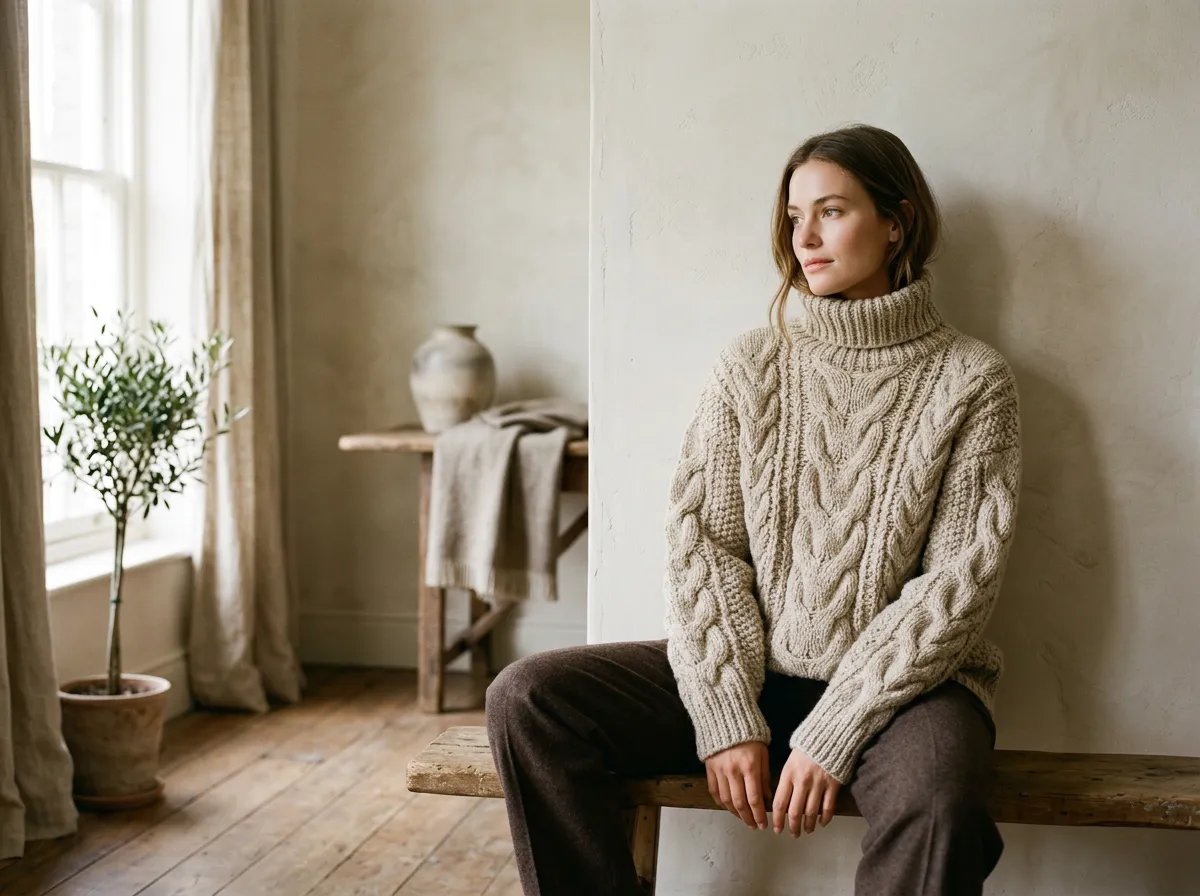
AI-generated Fall / Winter drop womenswear exampleGenerated with TinTin · no photoshoot

Why treat Fall/Winter as one shoot event?

Because seasonality is the strongest context signal in apparel imagery. The refresh cadence recommended across marketplaces — new hero photos every 6 to 12 months — lands naturally at the season boundary. Doing the whole catalog in one September pass beats piecemeal updates: consistent light, consistent models, and a shop that looks deliberately merchandised rather than accumulated.

The 5-shot brief

free · each prompt runs as-is in TinTin

Texture-forward knit hero

F/W is tactile. The hero frame's whole job is making a browser feel wool, mohair or rib-knit through the screen.

on-model chunky knit sweater, close three-quarter framing, soft directional window light emphasizing knit texture, warm neutral interior, quiet cozy mood, premium knitwear photography
Start this shoot →opens try-on with this prompt & womenswear preset filled in

Outerwear in real weather

Coats photographed in studios look like products; coats photographed in weather look like decisions. Atmosphere is the conversion layer for outerwear.

on-model wool coat on city street with light fog, cold overcast daylight, breath visible, hands in pockets walking pose, cinematic autumn street photography
Start this shoot →opens try-on with this prompt & womenswear preset filled in

The layering system frame

F/W baskets are built from layers. One photo showing base, mid and shell worn together sells three items and positions your shop as the system, not a piece.

on-model layered outfit with turtleneck, cardigan and open coat, styled together, warm cafe interior background, natural relaxed pose, editorial layering story photography
Start this shoot →opens try-on with this prompt & womenswear preset filled in

Indoor golden-hour lifestyle

Cold-season buying happens on sofas in the evening. A warm domestic frame meets the buyer in the exact mood they're shopping in.

on-model soft loungewear knit set, cozy living room with warm lamps and blanket, evening golden interior light, curled up on sofa reading, hygge lifestyle photography
Start this shoot →opens try-on with this prompt & womenswear preset filled in

Flat catalog set, winter palette

The refresh must reach the boring frames too. Re-shooting plain catalog views against a warm-toned neutral instead of summer white quietly re-seasons every listing page.

on-model sweater, seamless warm taupe studio background, soft even winter-toned lighting, standard front and side catalog poses, accurate fabric color, ecommerce photography
Start this shoot →opens try-on with this prompt & womenswear preset filled in
FAQ

Frequently asked questions

My whole catalog is 80 items. Five shots each is 400 photos — really?

Start with the heroes: the 10–15 products that drive most of your traffic get the full five-frame set; the tail gets the re-seasoned catalog frame only. Because generation runs from existing garment photos, even that scope is an afternoon, not a production schedule.

When is the right moment to swap the photos in?

Between mid-September and early October — this page's deadline marks the late edge. Early enough that listings re-index before peak autumn browsing, late enough that the imagery doesn't fight lingering summer heat.

Should I delete the summer photos?

Archive, don't delete. Keep the summer set stored with the listing so next April's reverse refresh is a re-upload rather than a re-shoot. Seasonal photography is a rotation, not a replacement.

How does the prompt reach the generator?

'Start this shoot' opens TinTin's try-on flow with the prompt and the womenswear preset pre-filled — attach your garment image and run. The copy button is there if you'd rather paste it manually.

Price of all this?

The guide is free with no gate. Generation uses credits; a new account's first runs are included, and failed runs never bill.

Five shots. Zero photoshoots. The clock starts soon.

Your garment photo + any prompt above = a listing-ready Fall / Winter drop shot. First try-ons are free; credits only on generation, never on failures.