
Looking for a ZMO.ai alternative? TinTin does the job
Short version: whatever you were generating there — on-model shots from a flat-lay, a diverse model roster, batch output for a whole catalog, clean backgrounds — TinTin produces it from a single product photo, starting at $10/month with 5 free credits and no card.
TinTin is an AI visual studio built for ecommerce sellers rather than for image editing in general. Upload one product photo — flat-lay, mannequin, ghost-mannequin or a phone shot — plus the model you want wearing it, and get a studio-quality on-model image back in minutes. The same credits also cover bulk try-on, try-on video and nail-art try-on, and Shop Radar watches your live listings for free.

The short answer
- Same output, one upload: a flat-lay, mannequin or ghost-mannequin shot becomes a photoreal on-model image — no photoshoot, no sample shipping, no minimums.
- $10/month for 20 credits. One credit is one on-model image (4K costs two). Every paid plan unlocks every feature — only the credit bucket changes.
- Your model, not just a preset. Upload a photo of the model you want and the same face and body carry across your entire catalog.
- Free to test: 5 credits at signup, no card, every studio unlocked.
- More than a generator: Shop Radar checks your live listing photos daily across eight platforms and offers a one-click AI reshoot — free, forever.
The jobs people used ZMO.ai for — and how TinTin does each
| What you need done | How TinTin does it |
|---|---|
| AI model photos from a flat-lay | Upload the product photo, pick or upload a model, and get a studio-grade on-model image in minutes — AI Virtual Try-on. Works for everyday apparel plus swimwear, lingerie and intimates. |
| A diverse model roster | Body types, ages and skin tones across the model library, or bring your own model photo to lock one identity for the whole brand. |
| Batch output for a catalog | Bulk AI Try-on queues a whole season at once instead of one upload at a time. |
| Backgrounds and clean-up | Scene and background swaps, ghost mannequin, hand fixing and upscaling in the editing workspace. |
| Video, not just stills | A try-on video clip costs 4 credits, on any paid plan. |
| Non-apparel categories | Nail-art try-on with hand models for press-on sellers, plus jewellery and accessory editing. |
| Knowing which listings need a reshoot | Shop Radar, free forever. Daily photo checks on Shopify, Etsy, Amazon, WooCommerce, Wix, Squarespace, BigCommerce and eBay, with a one-click AI reshoot on anything it flags. |
| Driving it from an AI agent | A public MCP server — free shop audits with no account, try-on generation with an API key, from Claude, ChatGPT or any MCP client. |
| Using the images commercially | Commercial licence on every paid plan, watermark-free full-resolution exports, and subscribing clears the watermark from your earlier free renders too — see pricing. |
The same jobs, rendered
Every row in the table above points at a studio. This is what each one returns — our output, shown full-size on the page it links to.
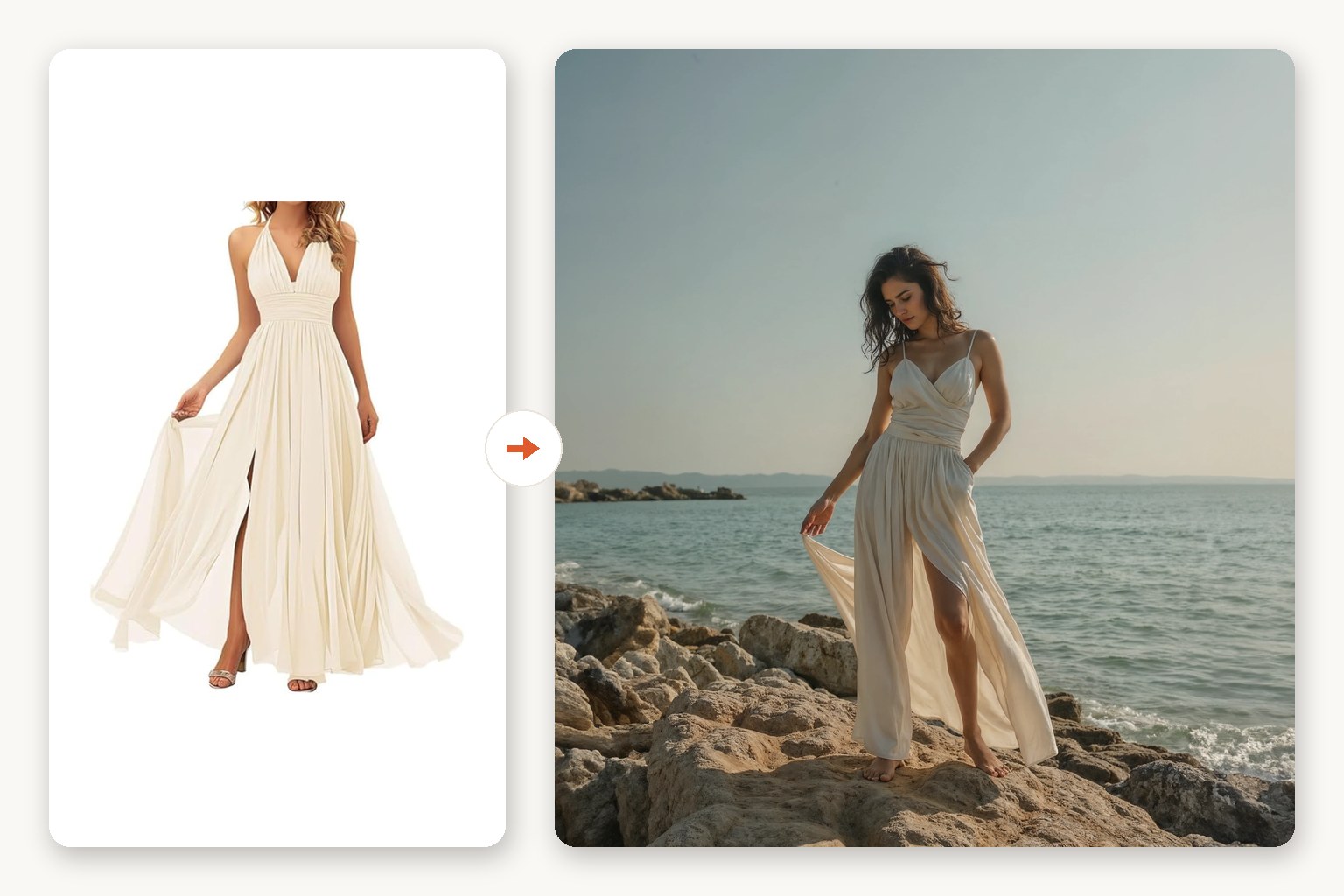 Flat-lay → on-model shotOne product photo plus the model you want. 1 credit, 2 at 4K.
 A roster, or your own modelAges, body types and skin tones in the library — or upload one model and hold that face across the whole catalog.
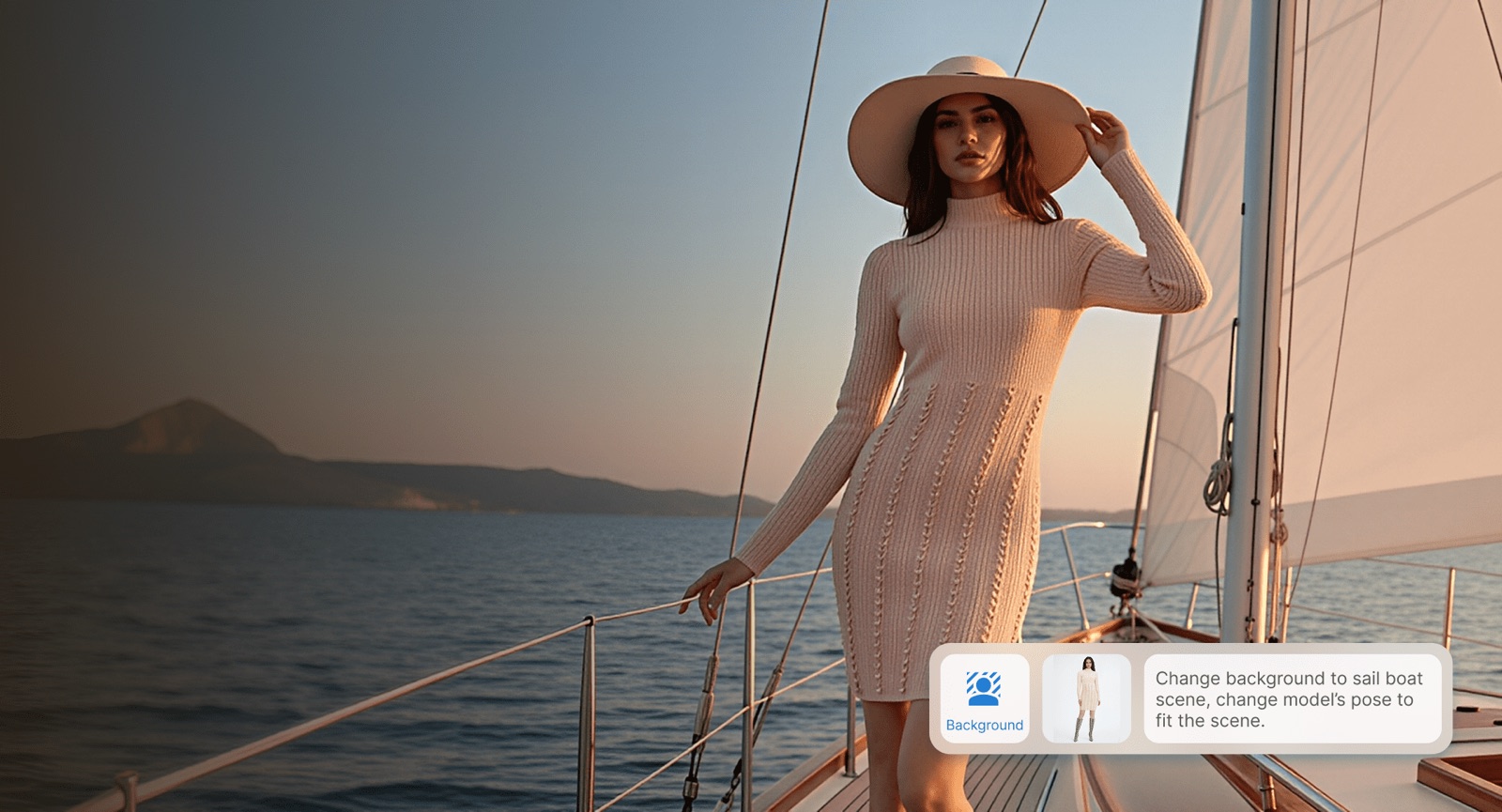 One photo → any sceneBackgrounds swapped from a text prompt or a reference photo, in the same editing workspace.
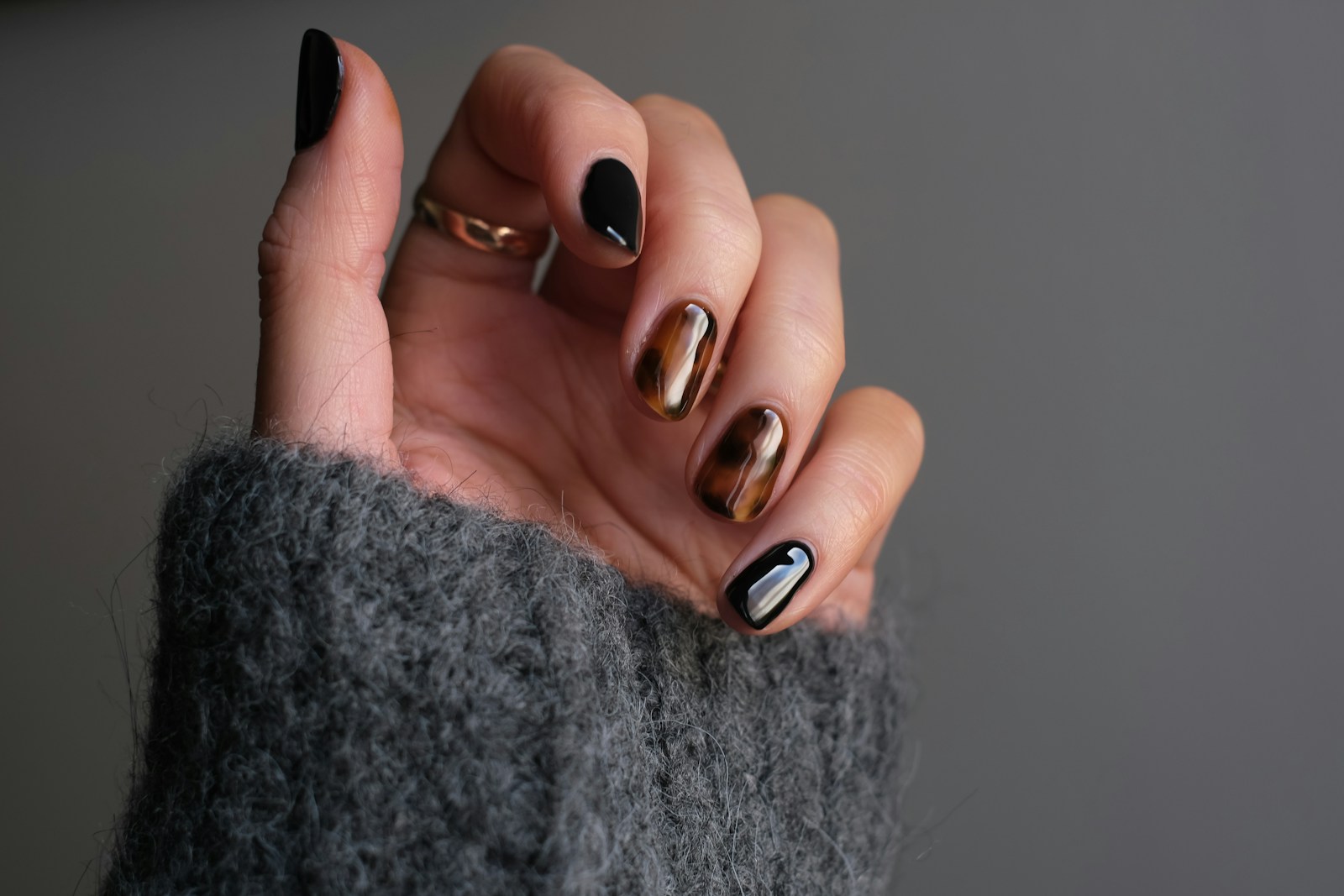 Press-ons → hand-model shotsThe non-apparel side — nail art on hand models, plus jewellery editing.
What it costs
One credit renders one on-model image (4K costs two), and a try-on video costs four. The plans are just different sized buckets of those credits:
- Free — $0. 5 credits at signup, no card, valid 7 days. Every studio unlocked; first generation watermark-free; personal use.
- Starter — $10/month (20 credits, or $90/year for 240 upfront).
- Studio — $39/month (90 credits, or $360/year for 1,080).
- Pro — $129/month (320 credits, or $1,200/year for 3,840).
- Every paid plan carries the same features — 4K, all models, video, all four apps, commercial licence, watermark-free exports. Only the credit bucket and the number of competitor shops Shop Radar watches differ.
Why sellers stay after the trial
The on-model render is the part every tool in this category advertises. What keeps a shop on TinTin is the two things around it:
- Something watches the storefront. Shop Radar tells you which live listings have gone stale or off-season, so photo work is aimed instead of guessed — how the audit works.
- One wallet, every studio. Apparel try-on, bulk and nail art draw on the same credits, so a mixed catalog doesn't need separate subscriptions.
- Seasonal briefs. Shoot guides say what to shoot for each retail moment, with prompts ready to run.
Getting your first image takes about ten minutes
1. Bring one product photo
Flat-lay, mannequin, ghost-mannequin or a clean phone shot — no re-shoot and no sample shipping needed.
2. Add the model you want
Upload a model photo to lock one look across the catalog, or pick from the library. Then set fit, product type and aspect ratio.
3. Judge it on your own SKUs
Five free credits, no card. Run the three products whose photos matter most before you spend anything.
ZMO.ai alternative — FAQ
What can I use instead of ZMO.ai for AI model photos?
TinTin's AI Virtual Try-on covers the same job: one product photo plus a model photo in, a studio-quality on-model image out in minutes. Bulk try-on handles a full catalog, and the editing workspace covers background swaps, ghost mannequin, hand fixing and upscaling.
How much does it cost?
Free to start — 5 credits, no card, valid 7 days. Paid plans are $10/month for 20 credits, $39 for 90 and $129 for 320, with annual billing granting the whole year upfront at a lower per-credit rate. One credit is one on-model image; 4K costs two. Full detail on pricing.
Can I use my own model instead of a generated one?
Yes — upload a photo of the model you want wearing the product and TinTin dresses them in it. That is how sellers keep one consistent face and body across an entire catalog rather than a different generated model per SKU.
Do the images come out watermark-free?
On any paid plan, yes — watermark-free at full resolution, with a commercial licence. On the free tier your first generation is watermark-free and later ones are watermarked previews; subscribing clears the watermark from your whole history retroactively.
Does it work with my store platform?
Shop Radar reads public listing data from Shopify, Etsy, Amazon, WordPress (WooCommerce), Wix, Squarespace, BigCommerce and eBay, and ships as a Shopify app. The try-on studios are platform-agnostic — download the image and upload it wherever you list.
Is there anything beyond apparel?
Yes: a dedicated nail-art try-on studio with hand models for press-on and nail-art sellers, plus editing tools for jewellery and accessories.
Where these numbers come from
Every claim here is about our own product, and dated so you can tell when it went stale:
- Every figure on this page is ours, taken from the TinTin pricing page: Free (5 one-time credits, 7-day validity), Starter $10/mo for 20 credits, Studio $39/mo for 90, Pro $129/mo for 320; annual billing grants the year upfront at a lower per-credit rate. One credit renders one on-model image; 4K costs 2, a try-on video 4.
- We make no claims about ZMO.ai here — no prices, no feature list, no comparison table. We could not verify anything about it at the time of writing, and a comparison built on stale or second-hand detail is worse than none. This page answers the search intent instead: the jobs the tool was used for, and how TinTin does each one.
ZMO.ai is a trademark of its owner; TinTin is not affiliated with, endorsed by, or partnered with it. This page was last reviewed in August 2026. Spot something out of date? Tell us and we'll correct it.
Keep comparing
Try it on the SKUs you care about
Five free credits, no card, every studio unlocked. Run your three best sellers and judge the output yourself.